
Website and interface design in Figma

We design UI/UX, prototypes, design systems and handoff layouts for website development, CRM, SaaS and mobile applications.

Discuss design in Figma
Website and interface design in Figma
Collaboration
Figma allows multiple participants to edit layouts at once - online and without installation.
Interactive prototypes
Demonstrate user scenarios and transitions without coding.

How to use Figma in commercial projects

Not just mockups, but a tool for accelerating design and development
Through Figma, we record scripts, adaptive elements, components and the state of interfaces even before the start of layout. This helps to agree on the product logic with the customer and convey a clear framework to the development team.
Quick structure approval
We show not a picture, but a screen map, scenarios and a prototype in order to discuss the logic of the product in detail.
Unified design system
We collect the UI kit, components and styles so that a new screen does not have to be designed from scratch every time.
Handoff for React, Next.js and Bitrix
We pass the dimensions, states, comments, adaptives and rules for using components to the frontend.
Prototypes for complex scenarios
Especially useful for CRM, catalogues, accounts and services, where the logic of screens and roles is important.

What tasks do we use it for? Figma

Below are scenarios where this technology really helps a business: it speeds up launch, simplifies support, or provides the right architecture for growth.

Landing pages and corporate websites

We work through the offer, block structure and adaptive features before the start of layout.
CRM, ERP and personal accounts

We draw roles, tables, filters, forms and working scenarios without guesswork on the front-end side.

SaaS and MVP

We are putting together a screen map, a clickable prototype and a UI kit to quickly test the product hypothesis.

Mobile applications

We think through navigation, gestures, states and mobile patterns even before development.

Redesign of an existing product

We show what exactly is changing: the visual system, the screen structure, the user path.

Design systems and UI kit

We are creating a library of components for the team to maintain a unified style as the project grows.

When technology is suitable and when it is not

Suitable if

  • Suitable if you need to agree on the interface and user scenarios before development begins.
  • Works well in projects where there are several participants: customer, analyst, designer, frontend and backend.
  • It is needed where the project is growing rapidly and without a design system chaos begins in layouts and layout.

It's better to consider another way if

  • Does not replace product research and problem definition if the business logic has not yet been defined.
  • A ready-made website by itself does not provide: after Figma, a stage of development and integration is needed.

What is included in the work

  • Analysis of the product, audience and key user scenarios.
  • Map of screens and structure of the future interface.
  • Wireframe and interactive prototype for logic alignment.
  • UI concept and visual direction for the brand.
  • Adaptations desktop, tablet and mobile.
  • UI-kit, components and states of buttons, forms, errors and blank screens.
  • Comments and handoff for React, Next.js, Bitrix or Laravel team.
  • Support before release and adjustments during development.

What does this give in real projects?

Below are cases from the portfolio where the visual system, prototyping and design support really influenced the product and communication.
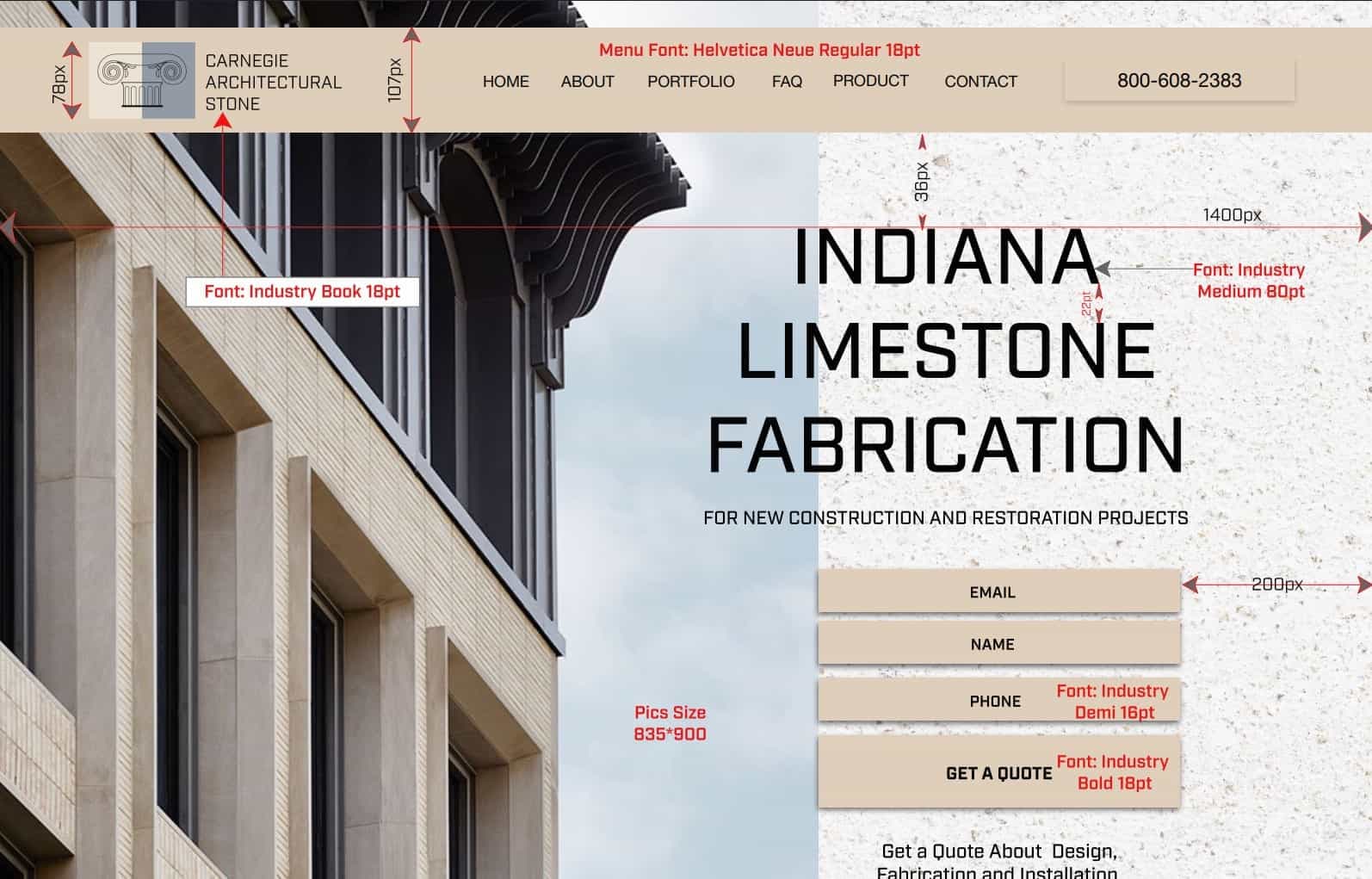
Carnegie Stone - Unique WordPress Design
Corporate website

Carnegie Stone - Unique WordPress Design

Full cycle of work for carnegiestone.com: design, development of a unique WordPress theme, site customization and optimization for the client’s tasks.
  • We developed a proprietary UI-kit and a unique website design for Carnegie Stone products.
  • We built a custom WordPress theme based on design layouts rather than a template theme.
  • After its launch, the site became a full-fledged tool for presenting products and applications.
View case
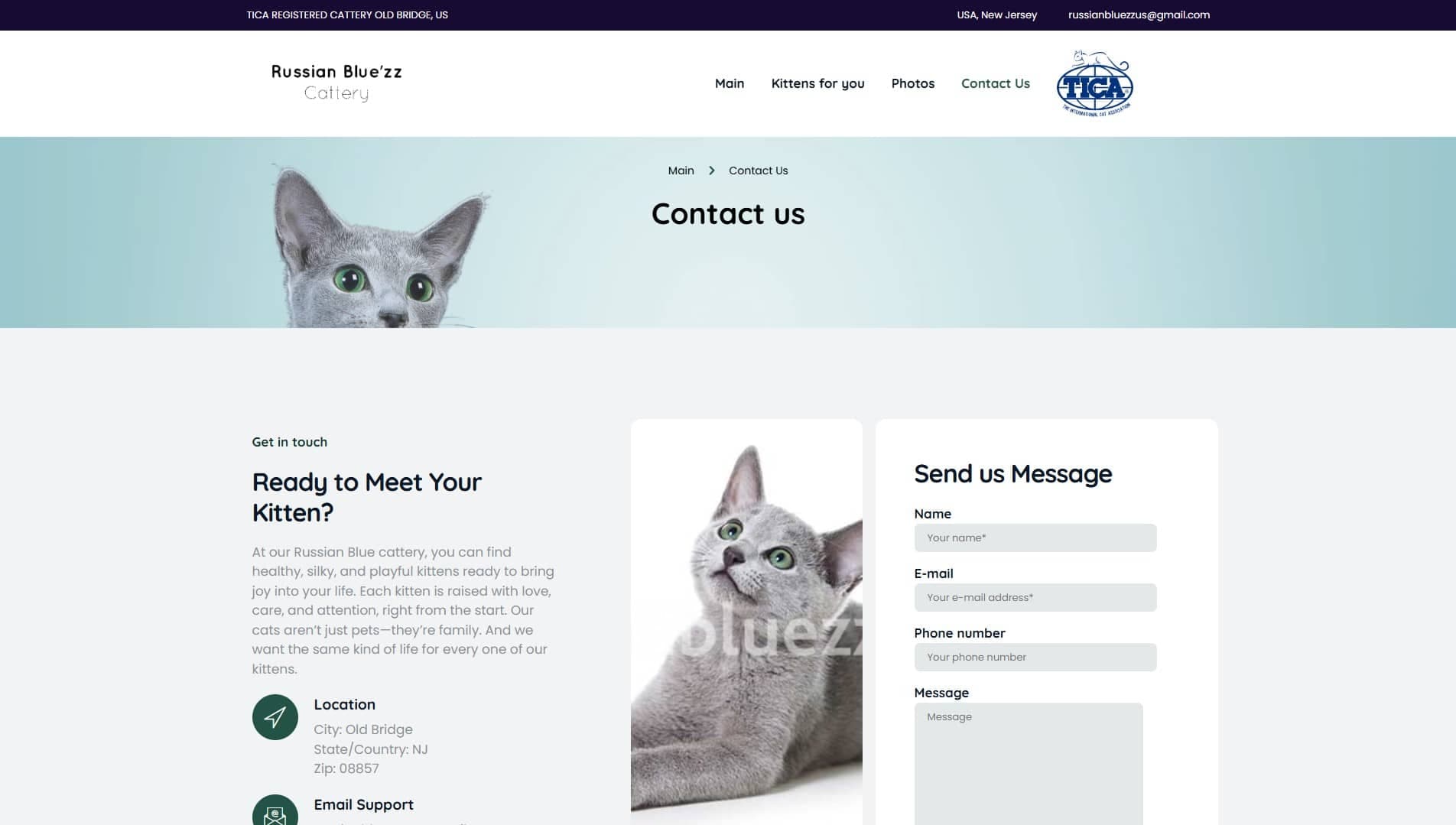
Russian Blue’zz Cattery - new design, branding and SEO
Branding and redesign

Russian Blue’zz Cattery - new design, branding and SEO

Development of a new design template, branding, SEO promotion for a Russian Blue cattery.
  • We prepared a new design template and nursery branding for visual content.
  • After the redesign and SEO, organic traffic increased by 60% in the first 3 months.
  • The site has become more convenient for submitting kittens, graduates and content sections.
View case
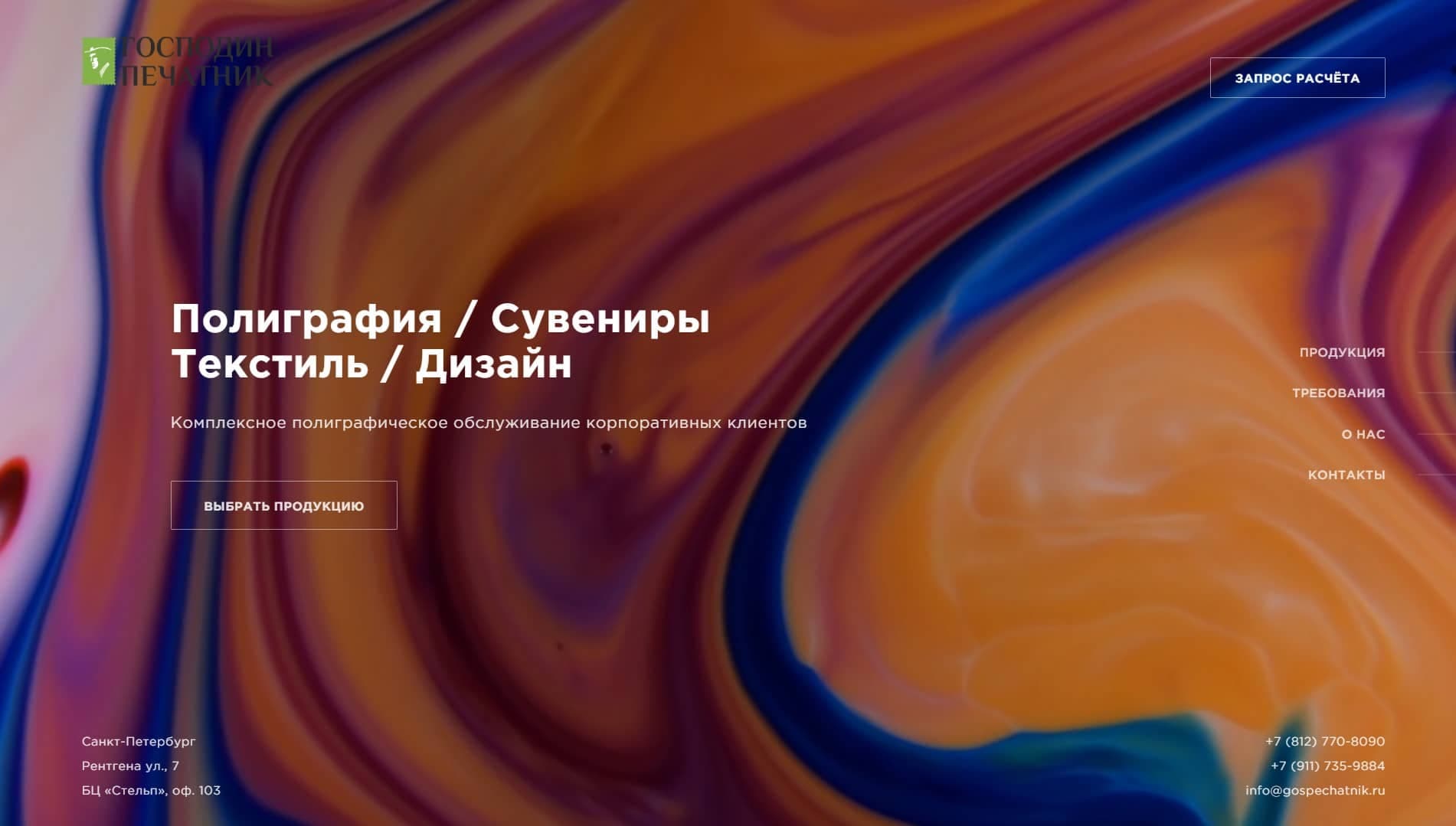
Gospechatnik - printing house and design studio
Design support

Gospechatnik - printing house and design studio

Website, market research and ongoing design support for a modern printing house.

  • We launched a new printing house website and built ongoing design support.
  • We created a portfolio of completed works and design concepts for client tasks.
  • The site increased the incoming flow and helped attract new corporate clients.
View case

Stages of work

  1. 1Brief and goalsWe define tasks, audience, style, UI/UX wishes.
  2. 2Wireframe and structureWe create a diagram of screens and key user scenarios.
  3. 3UI design and prototypeWe draw the design, components, and make an interactive prototype.
  4. 4Testing and handoffWe test scripts and send mockups to developers with comments.
  5. 5EscortWe update components, finalize the design system, and maintain documentation.

Deadlines and guidelines for tasks in Figma

The final score depends on the number of screens, scenarios, roles and depth of development of the design system.

Landing page or promo page prototype
2–5 days / from 45,000 RUR
Suitable for launching an offer, testing a hypothesis, or agreeing on a structure before layout.
Corporate website design
1–3 weeks / from RUB 90,000
The term depends on the number of unique pages, adaptive elements, animations and level of visual detail.
CRM, SaaS or account interface
3–6 weeks / from RUB 180,000
The evaluation is influenced by user roles, tables, filters, modals, and the design system.

Frequently Asked Questions

If the project consists not of one page, but of a set of screens, roles, forms, catalogs or cabinets, Figma pays off by capturing the logic and reducing the number of rework in development.
We design not only visuals, but also user scenarios: screen structure, transitions, states, errors, forms and handoffs for the frontend team.
Yes. We prepare layouts so that they are convenient for both Bitrix layout and the frontend team on React/Next.js, including components, grids and adaptive tools.
Yes. For projects with interface growth, we collect UI-kit, components, tokens and rules of use so that the team does not duplicate solutions.

Leave your contacts - we will call you back, sort out the problem and offer the best way. We have more than 350 projects behind us, each of which we launched with an individual approach. We guarantee expert advice during business hours.